One system for how your
business actually runs.
Connect brings people, jobs, assets, compliance and invoicing into a single system, with portals for your staff, your customers and your subcontractors. It is the software we built for ourselves and now sell, and because we build custom software for a living, it bends to fit how you work.
Most operations run on four systems that disagree.
Not because anyone chose that. It is what happens when a business grows faster than the tools it started with.
The same data, keyed four times
A job exists in a spreadsheet, an email thread, an accounts package and somebody’s notebook. Every re-key is a chance for the four to disagree, and they always do.
Compliance is a separate exercise
The work gets done, then somebody spends a week proving it was done. The evidence exists but it is scattered across folders, phones and filing cabinets.
The office is a call centre
Customers ring to ask where things are, supervisors ring staff, staff ring back. Most of those calls are somebody asking for information the system already holds.
Nobody can see the whole picture
You can find out what happened last month, eventually. Knowing what is happening today, across people, jobs and equipment at once, is the part that is missing.
Five modules, one database.
Take the one that hurts most and add the others when you are ready. They are built to work together, not sold as separate products that need joining up afterwards.
People and HR
One record per person: contracts, training, certifications, absence and objectives. Staff maintain their own details and request leave, managers approve it, and expiry dates surface before they lapse rather than after.
What else is in it
- Time and attendance: clock in from a phone or kiosk, with geofencing
- Rotas, shift swaps and a live Who is In view
- Leave with entitlement policies, public holidays and blackout dates
- Appraisals, one-to-ones and recognition
- Onboarding, offboarding and disciplinary journeys
- Recruitment with a public application form
- Org chart, payslips and toolbox talks
Jobs and scheduling
Plan work, assign it to people or crews, and track it to completion. Field staff log what they did, with photos and times, from a phone that works with no signal and syncs when it finds one.
What else is in it
- Sites with geofences, work logs and activity types
- Recurring jobs, and squad sheets for crew timesheets
- Rate cards with automatic pricing
- Job costing with time and materials
- An actions queue, so nothing waits in an inbox
Assets and equipment
Every vehicle, machine and tool with its service history, inspections, costs and current holder. Planned maintenance is scheduled rather than remembered, and defects raised on site become jobs.
What else is in it
- Prestart checks with configurable checklists
- Fuel cards, fuel import and MPG reporting
- Parts and stock, with stock takes
- Asset finance and depreciation
- Asset documents with e-signing
Compliance and documents
Checks, method statements, certificates and sign-offs, generated as a by-product of doing the work rather than assembled the week an audit lands. Every document carries its own audit trail.
What else is in it
- A compliance matrix by standard, across staff, assets, customers and suppliers
- Evidence packs for audits
- Incident reporting with RIDDOR flags and witness statements
- A custom form builder for your own checks and records
- Controlled document library with versions and a view log
- E-signature requests and expiry reminders
Commercial and finance
The office half of the story the portals tell: invoices raised from the same records the work was logged against, and the purchasing side to match, so nothing is re-keyed into an accounts package.
What else is in it
- Sales invoicing with approval steps
- VAT returns and multi-currency
- Purchase orders and supplier invoice matching
- Price lists, and customer and supplier accounts
- Ledger export for your accounts package
This is the actual software.
Screens from the running system, not drawings of what it might look like one day.
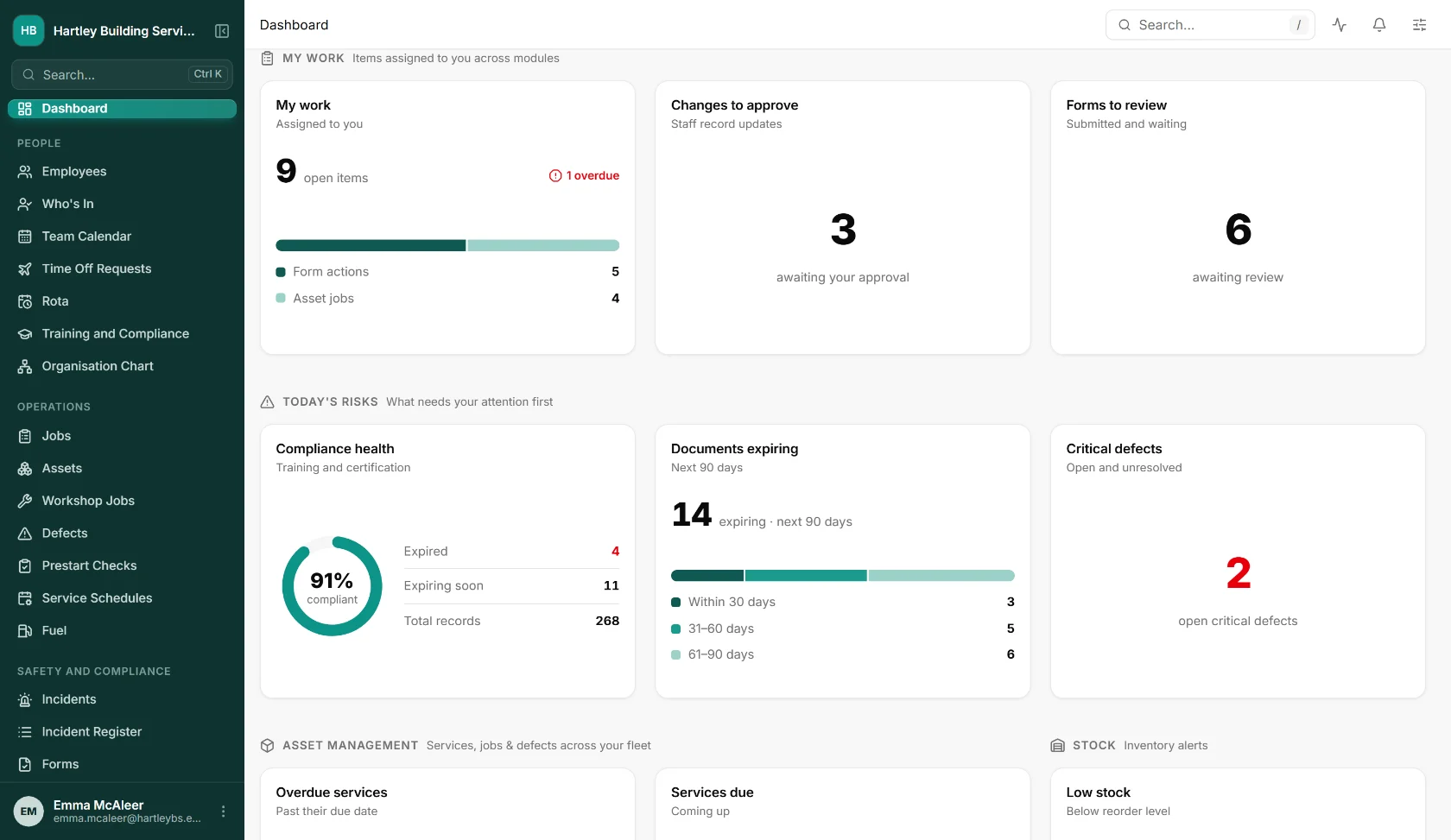
Today, on one screen
What is assigned to you, what needs approving, how compliant the workforce is, which documents are about to expire and which defects are still open. Each card opens the list behind it.
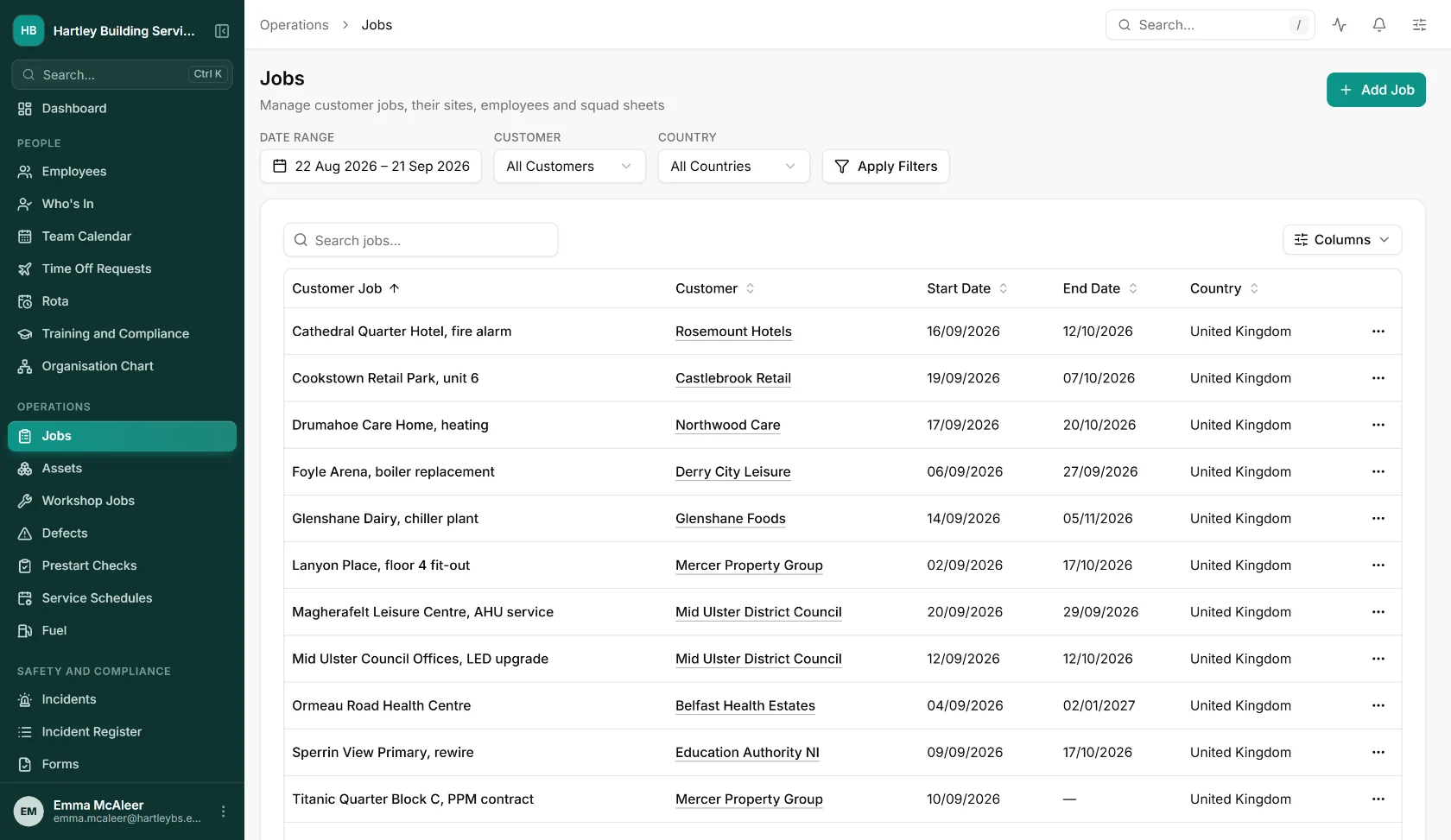
Every job, its site and its dates
Customer jobs with their sites, crews and squad sheets in one list, filtered by customer or date range. What is on, for whom, and when it ends, without a whiteboard or a phone round.
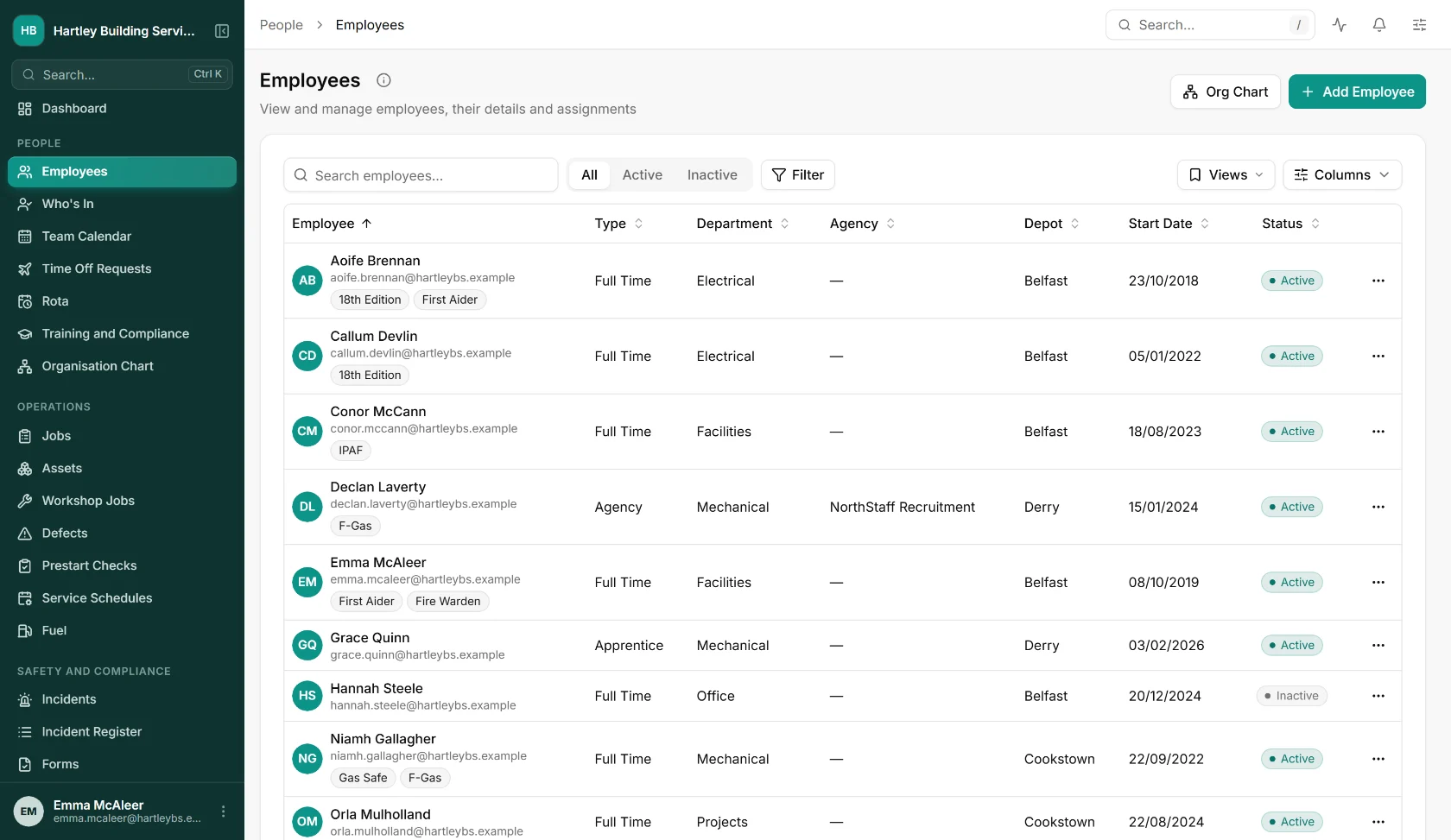
The whole team, one register
Everyone with their type, department, depot and start date, and their qualifications carried as tags, so finding who holds 18th Edition or F-Gas is a filter, not a filing exercise.
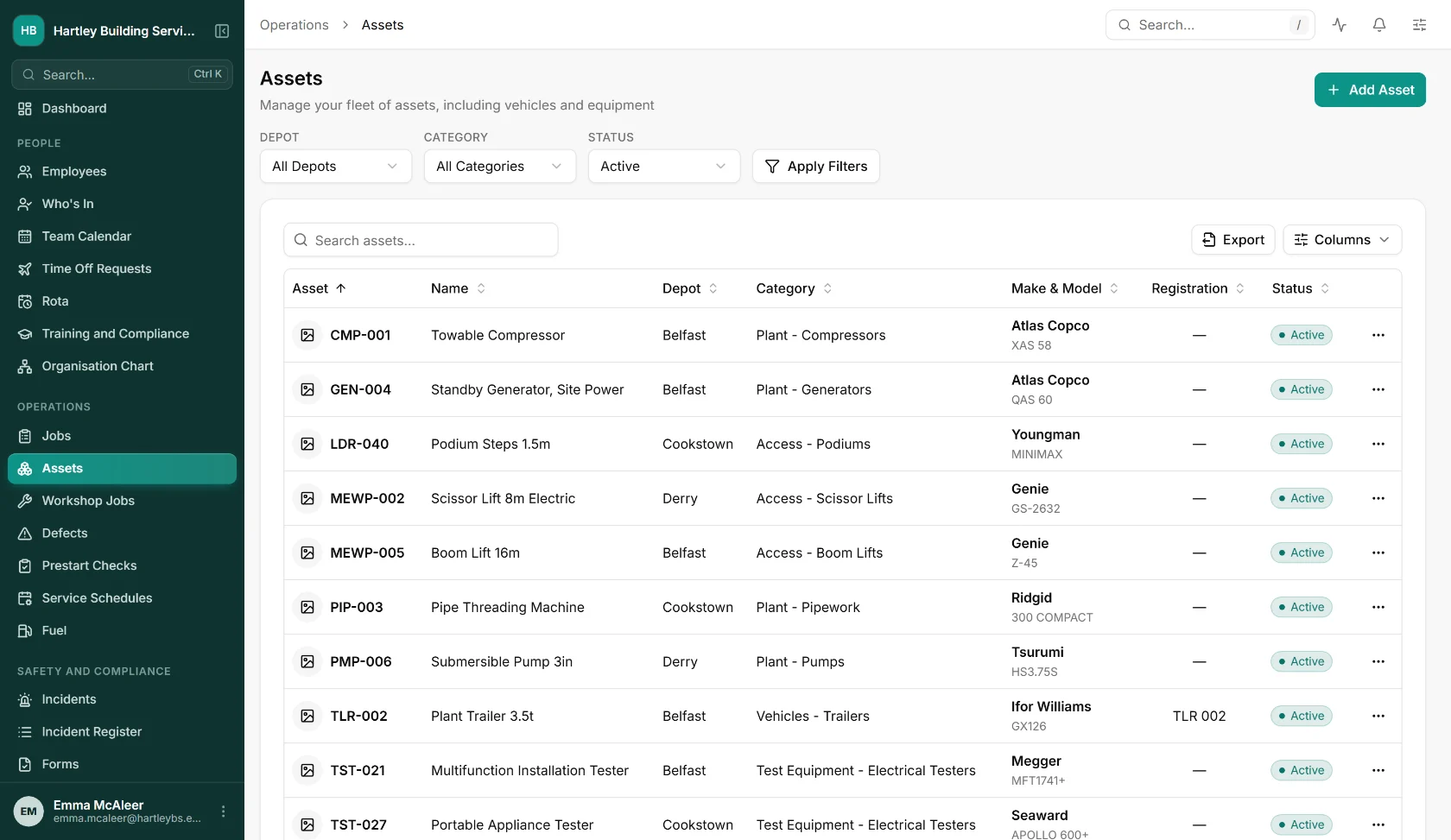
The kit register, from testers to lifts
Compressors, generators, access kit and test equipment with depot, category, make and registration, and each asset opens onto its record and service plan.
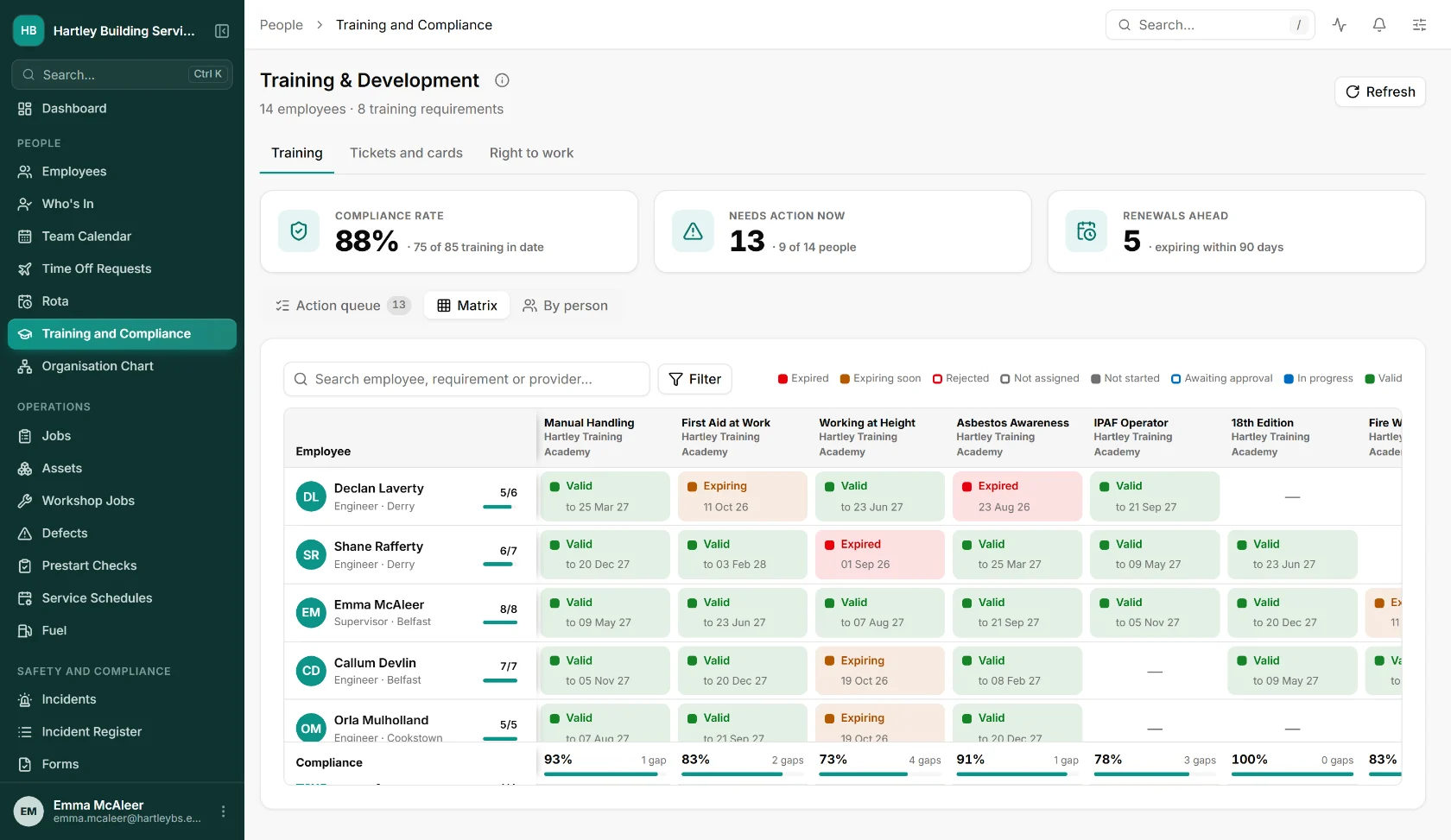
Who is covered, and who is not
Every person against every training requirement, coloured by valid, expiring and expired, with the gaps counted per course. The week before an audit stops being a project.
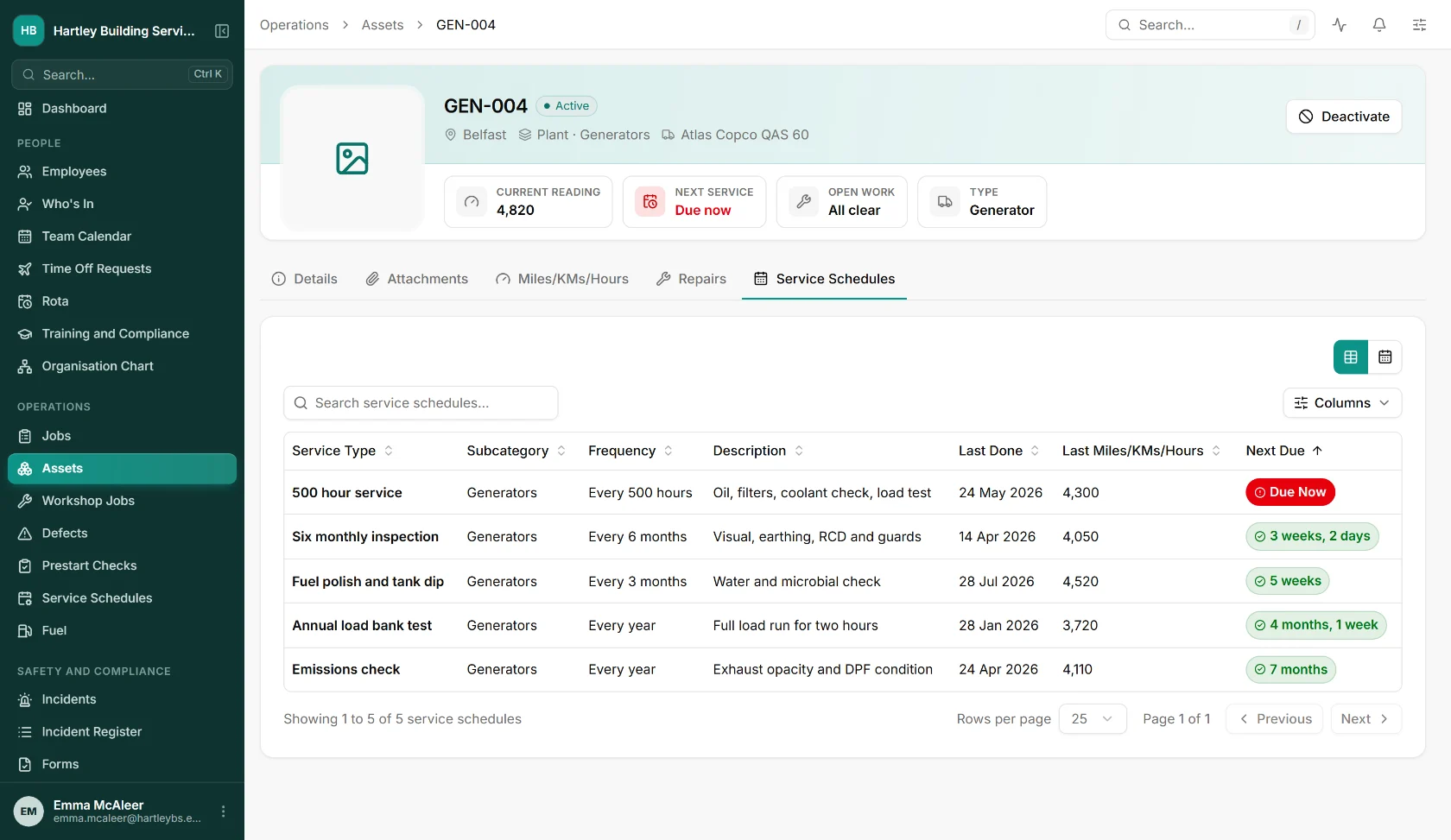
Maintenance that is scheduled, not remembered
Each asset carries its own service plan by hours, months or years, with the last reading, what is due now and what is coming. Overdue work raises its own job.
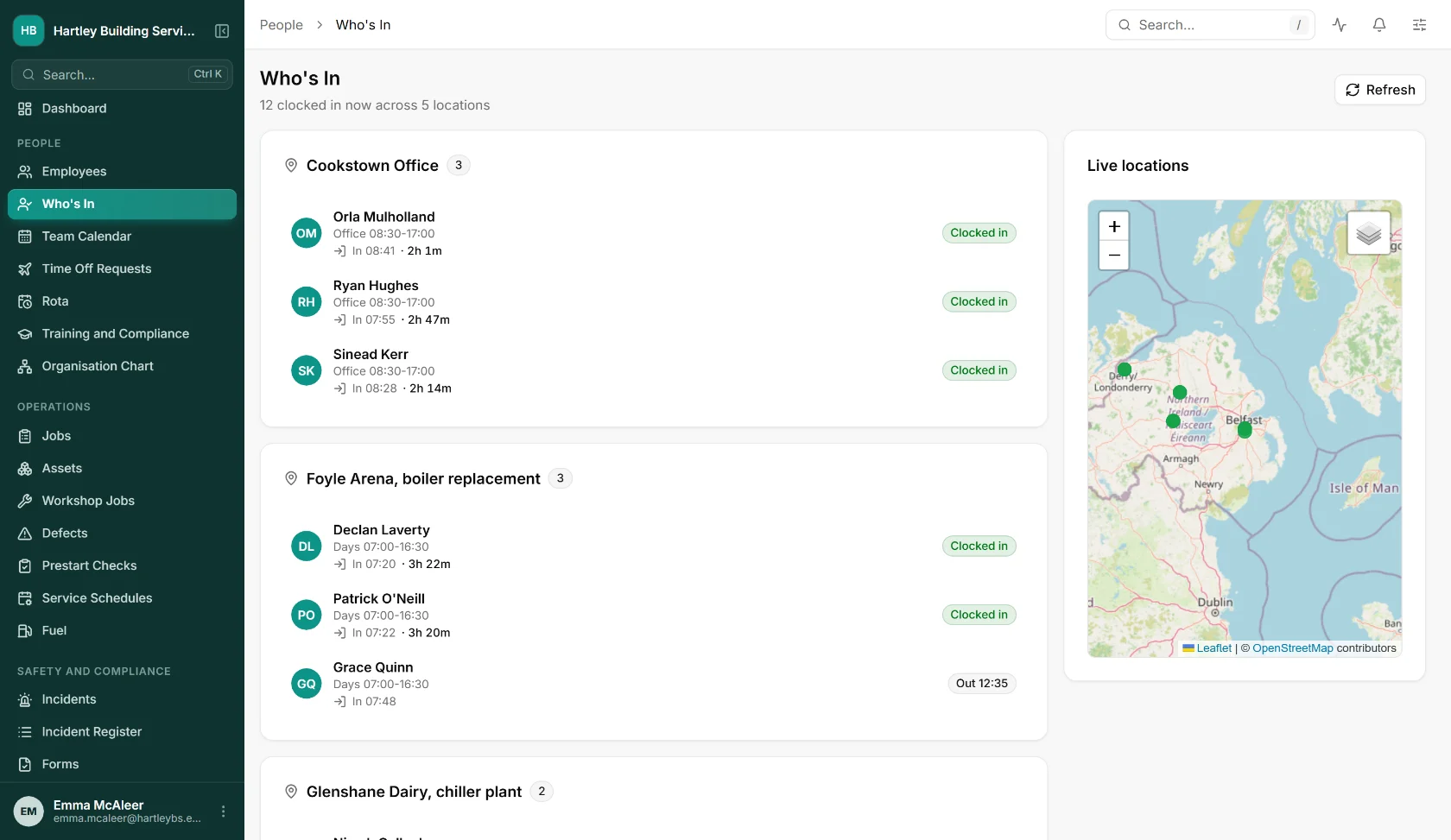
Who is on which site, right now
Staff clock in from the phone and the office sees them grouped by site, with times and a live map. No ringing round at half eight to find out who turned up.
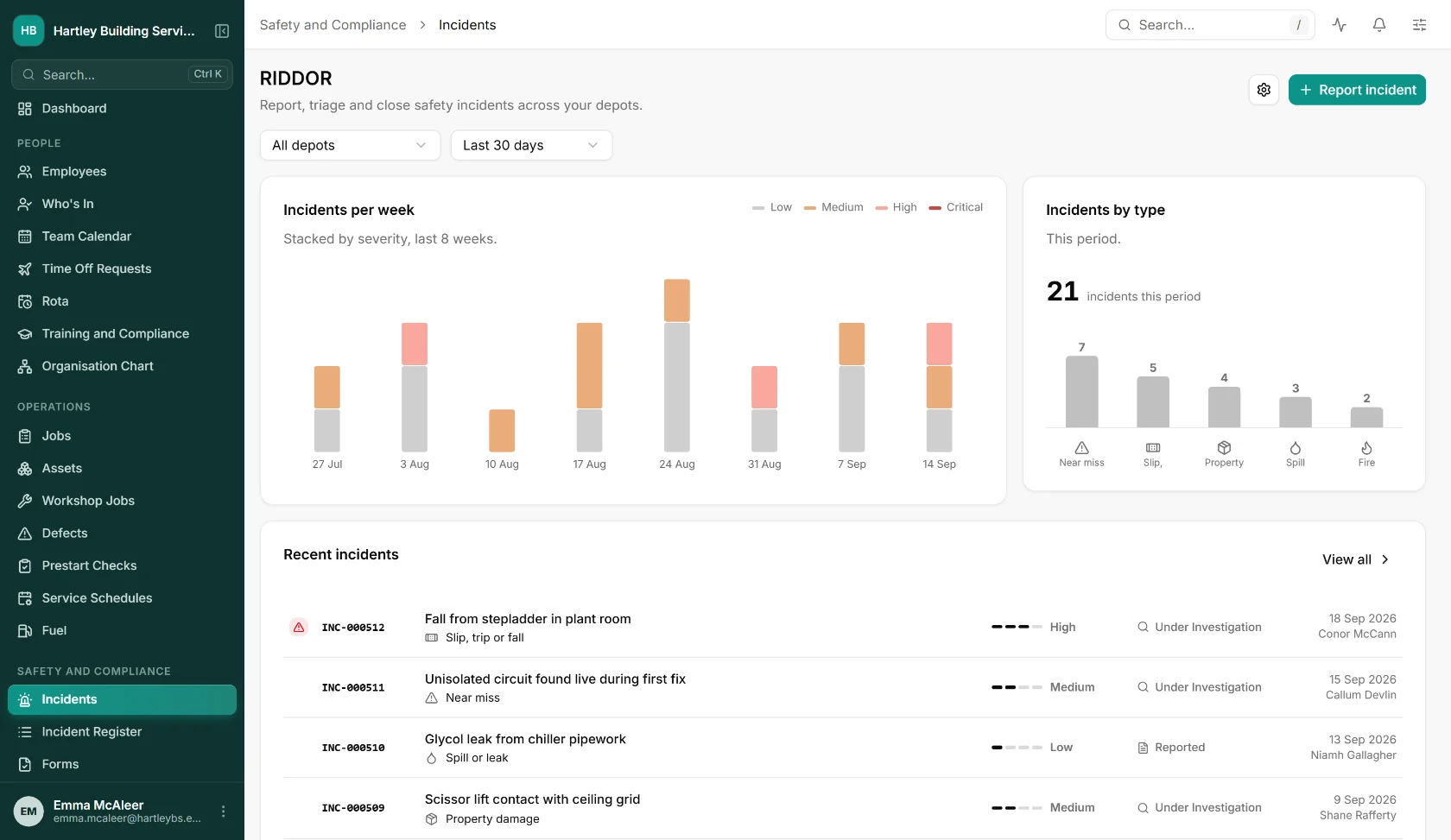
Incidents, recorded and followed through
Near misses and injuries reported from site, graded by severity, investigated and closed, with RIDDOR deadlines flagged while there is still time to meet them.
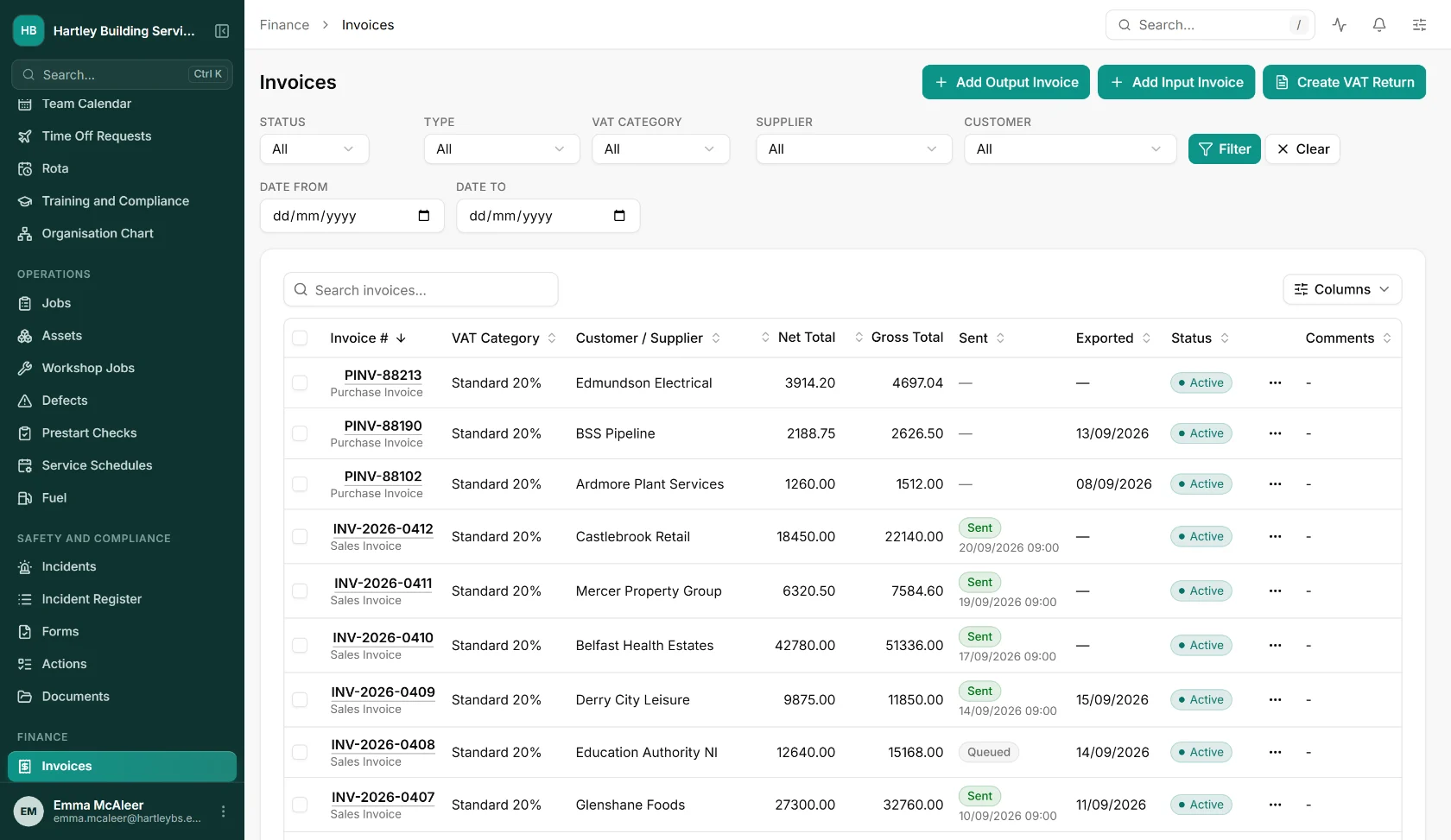
From the job to the invoice
Sales and purchase invoices in the same system as the work they came from, with VAT treatment, whether each one has been sent and whether it has gone to the accounts package.
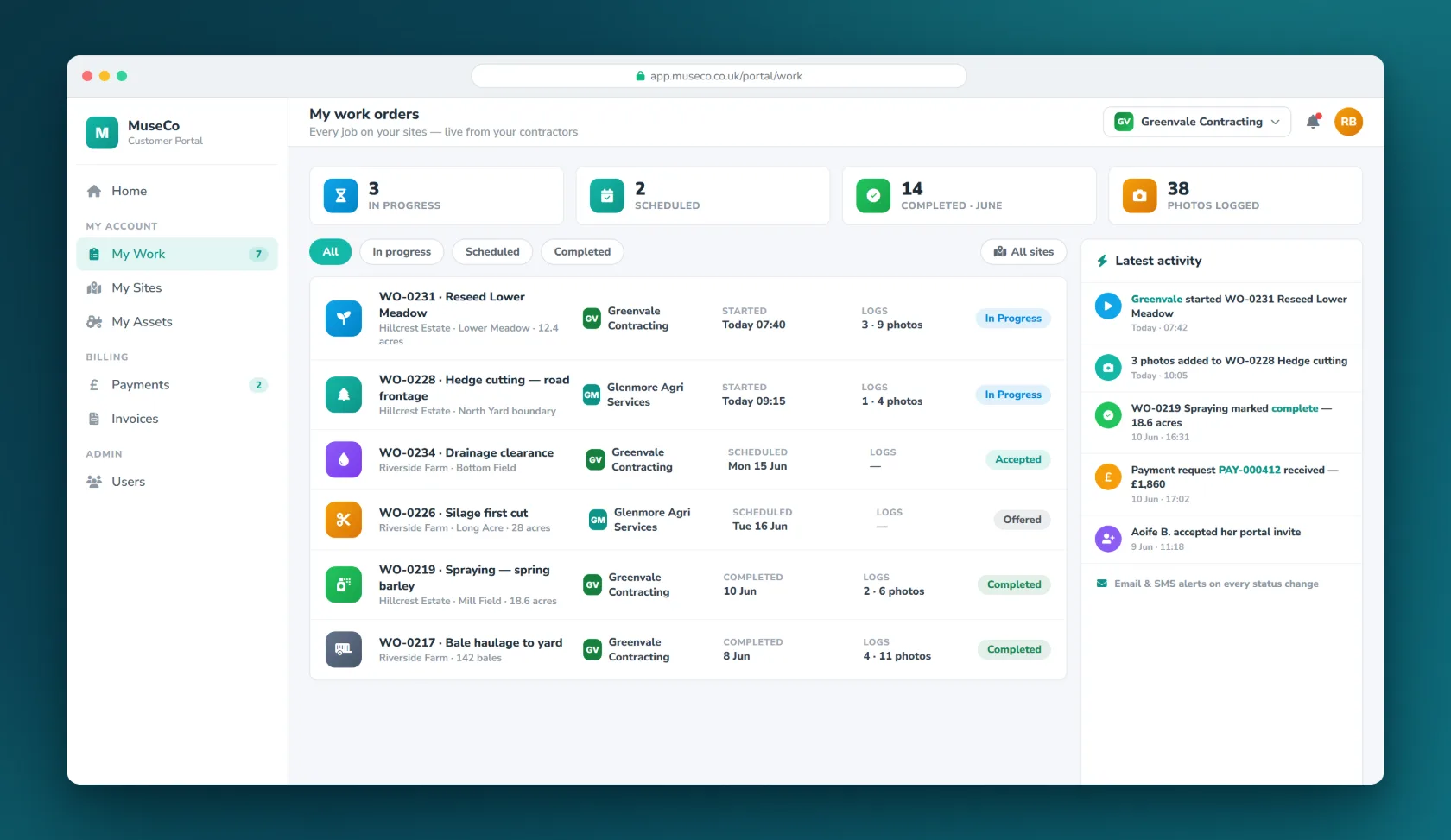
Every job on their sites, live
Your customer opens the portal and sees what is in progress, who is doing it, when it started and how many photos have been logged. That is most of the phone calls to your office gone.
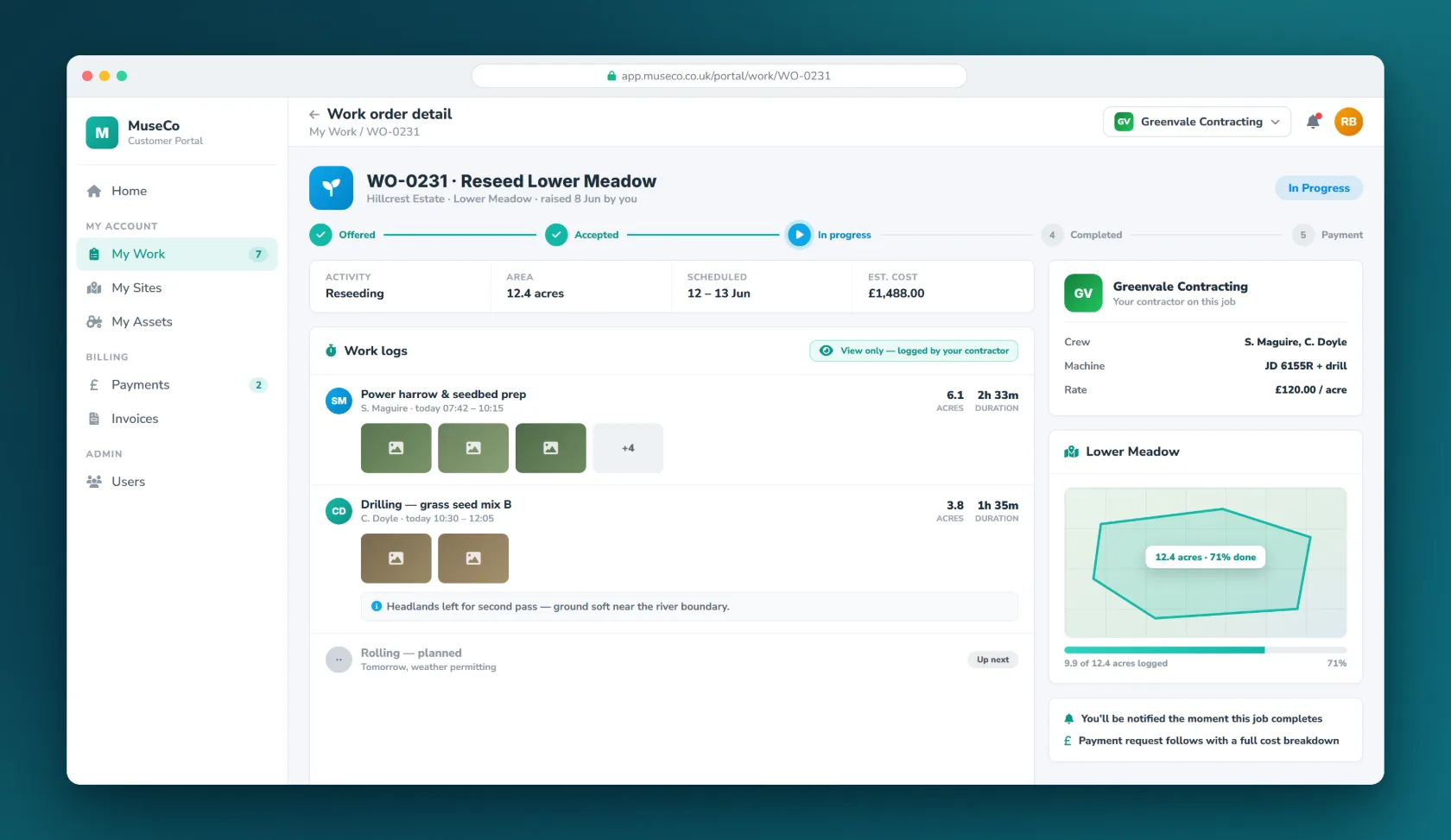
Logged photo by photo
Every visit recorded with times, notes and pictures, so what was done is a matter of record rather than recollection.
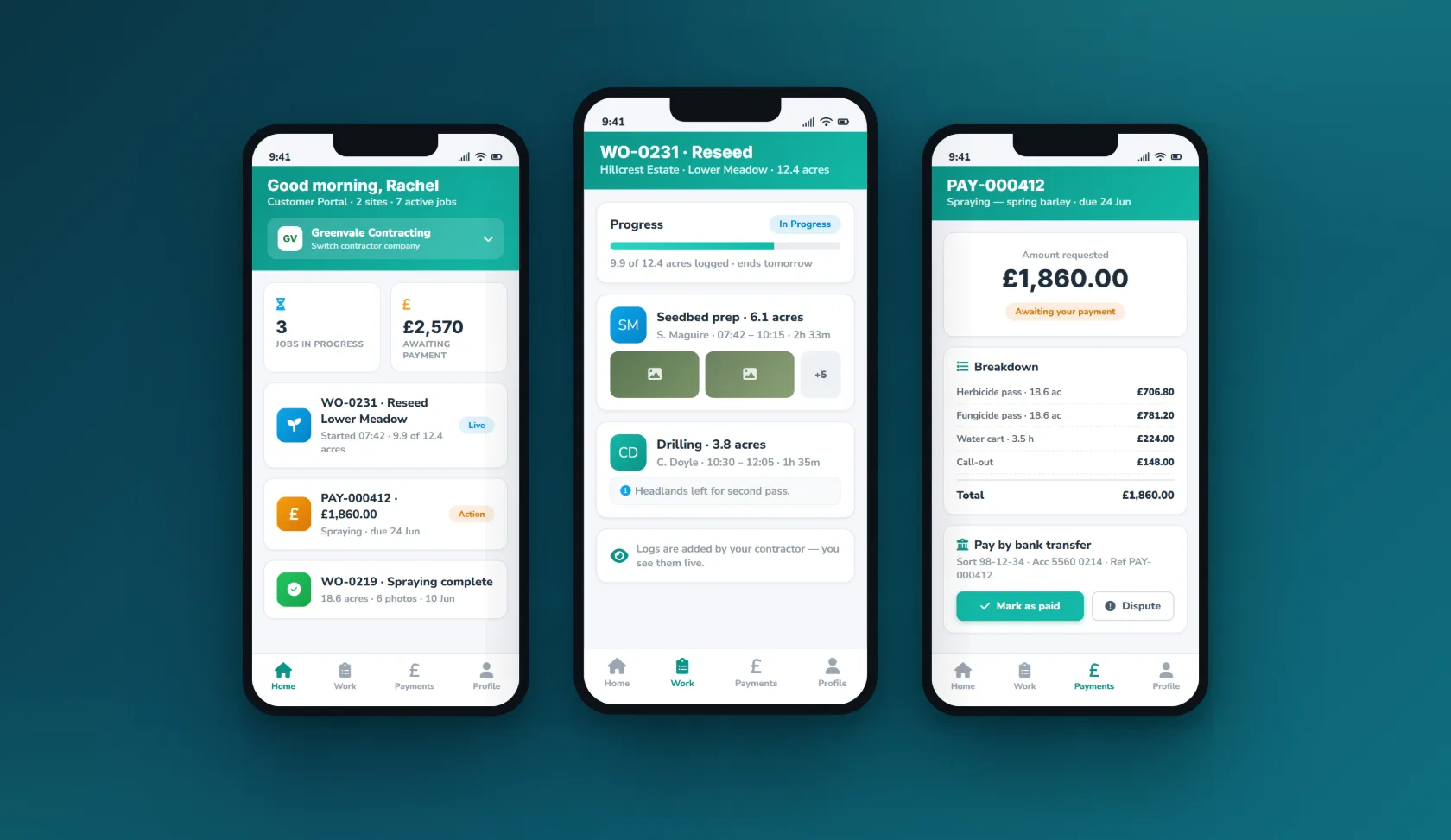
The same thing on a phone
Native iOS and Android, built for people who are on site rather than at a desk, and it keeps working when the signal does not.
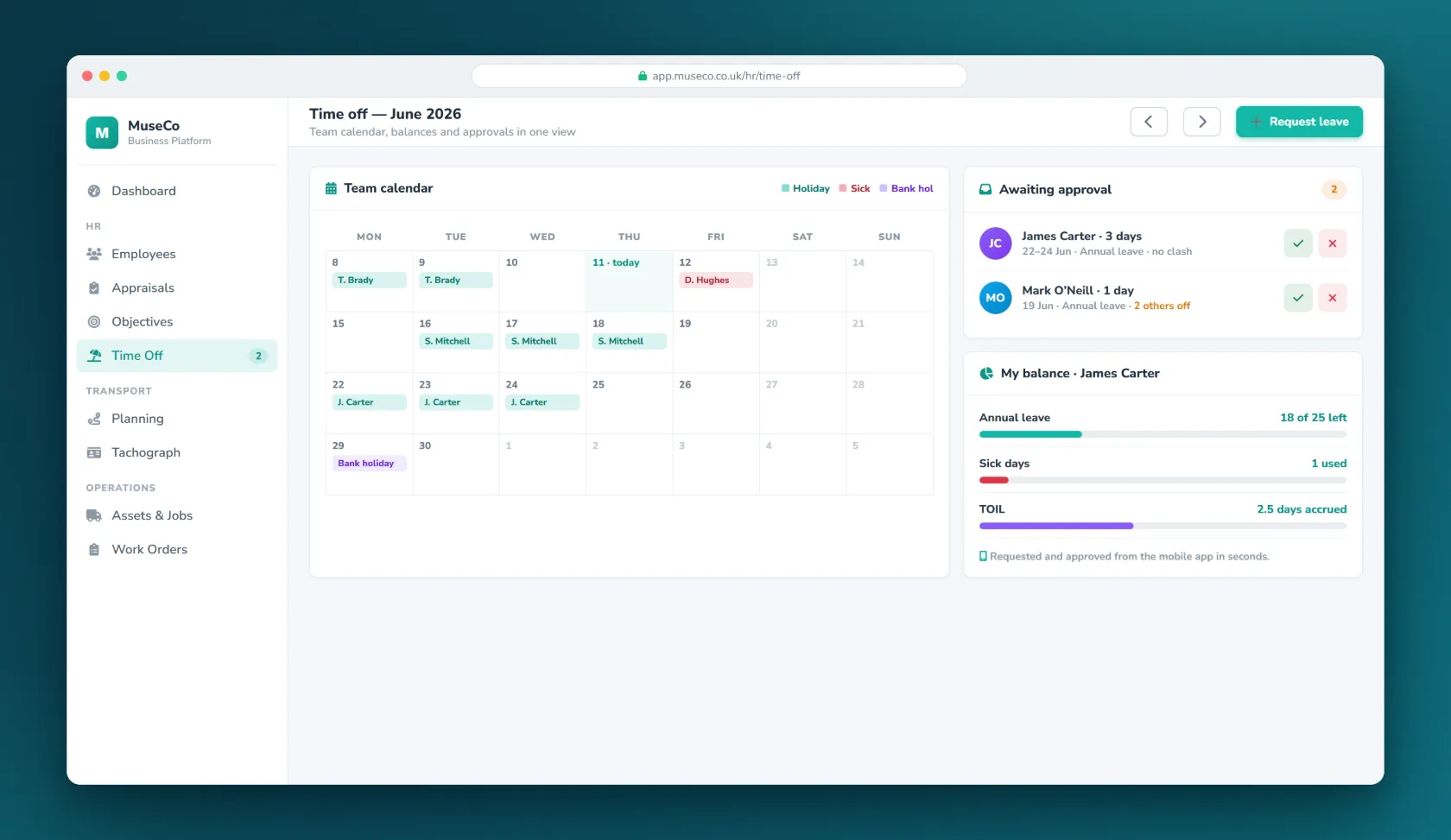
Leave, requested and approved
Staff request time off in the app, managers approve it, and the balance updates itself. No forms, no spreadsheet.
Three audiences, one system.
Everyone sees their own view of the same records, which is why nobody has to ring the office to find out what is going on.
Staff
Your team see their own record, their objectives, their schedule and their jobs, and they keep it up to date themselves instead of it arriving in your inbox.
Customers
Customers see live progress on their own sites, the photo-by-photo record of what was done, and invoices priced from that record, which is the end of most billing arguments.
Contractors
Subcontractors receive work orders, log what they completed and are priced automatically from it. Shared sites keep one record rather than one per company.
The boring parts, done properly.
One database, not four systems
The modules are not separate products bolted together. A person, a job and an asset are the same records everywhere, so a change in one place is a change everywhere.
Web and native mobile
A full browser application for the office, and native iOS and Android apps for people who are not at a desk. The mobile app works offline and syncs when it reconnects.
It talks to what you already run
An API and integration layer so Connect fits alongside your accounts package and the other systems you are not replacing, rather than demanding you replace them.
Run on Microsoft Azure
Hosted in Microsoft Azure’s North Europe region, in Ireland, encrypted in transit and at rest, backed up, and handled under UK and EU GDPR. Built, deployed and supported by the same team that wrote it.
See today, not last month
Role-based dashboards, global search, and CSV or PDF export from the screens themselves. Reminders and notifications go out by email, SMS, push and in-app, tuned per person.
- Sage 50 ledger export
- DocuSeal e-signatures
- SendGrid transactional email
- Traccar GPS tracking
- API and device keys third-party and kiosk access
Built for no one industry.
The same modules carry different weight in different trades. See what we build for yours.
FleetInspect is the transport edition.
Same platform, with the compliance module built for transport instead: tachograph analysis, drivers’ hours, walkaround checks and operator licence records. If you hold an O-licence, start there rather than here.
Visit FleetInspectAsked before you ask.
How is Connect different from FleetInspect?
They are the same platform. FleetInspect is the transport edition, where the compliance module handles tachograph analysis, drivers’ hours and operator licence records. Connect is the general edition, where that module handles training, certification, inspections and documented procedure instead. If you run vehicles under an O-licence, FleetInspect is the one to look at.
Do we have to take all of it?
No. The modules are designed to work together but you can start with the one that hurts most and add the others later. Most people start with jobs or people.
Can it be changed to fit how we work?
Yes, and this is the part that is unusual. We build custom software for a living, so Connect is a starting point rather than a fixed product. If it does ninety per cent of what you need, we can build the other ten rather than asking you to change your process.
What happens to our data if we leave?
It is yours. If you decide to leave, we will give you a full extract of your records in a format another system can read. We would rather you stayed because the system is worth paying for, not because leaving is painful.
What does it cost?
It depends on which modules you take and how many people use it, so we would rather scope it with you than publish a number that turns out to be wrong for your situation. Ask us and we will give you a written figure.
Let’s talk about
your business.
A free, no-obligation conversation about the problem you’re trying to solve. Tell us a little about it and we’ll reply within one working day.
Both are hidden from the bots that harvest them for spam until you click.